From script to narrated video with word-timed captions
Narration and captions are where many short videos lose time: record or generate the voice, line it up with the cuts, then type and time the captions word by word. In Studucer the script drives all three.
The voiceover lives with the scene
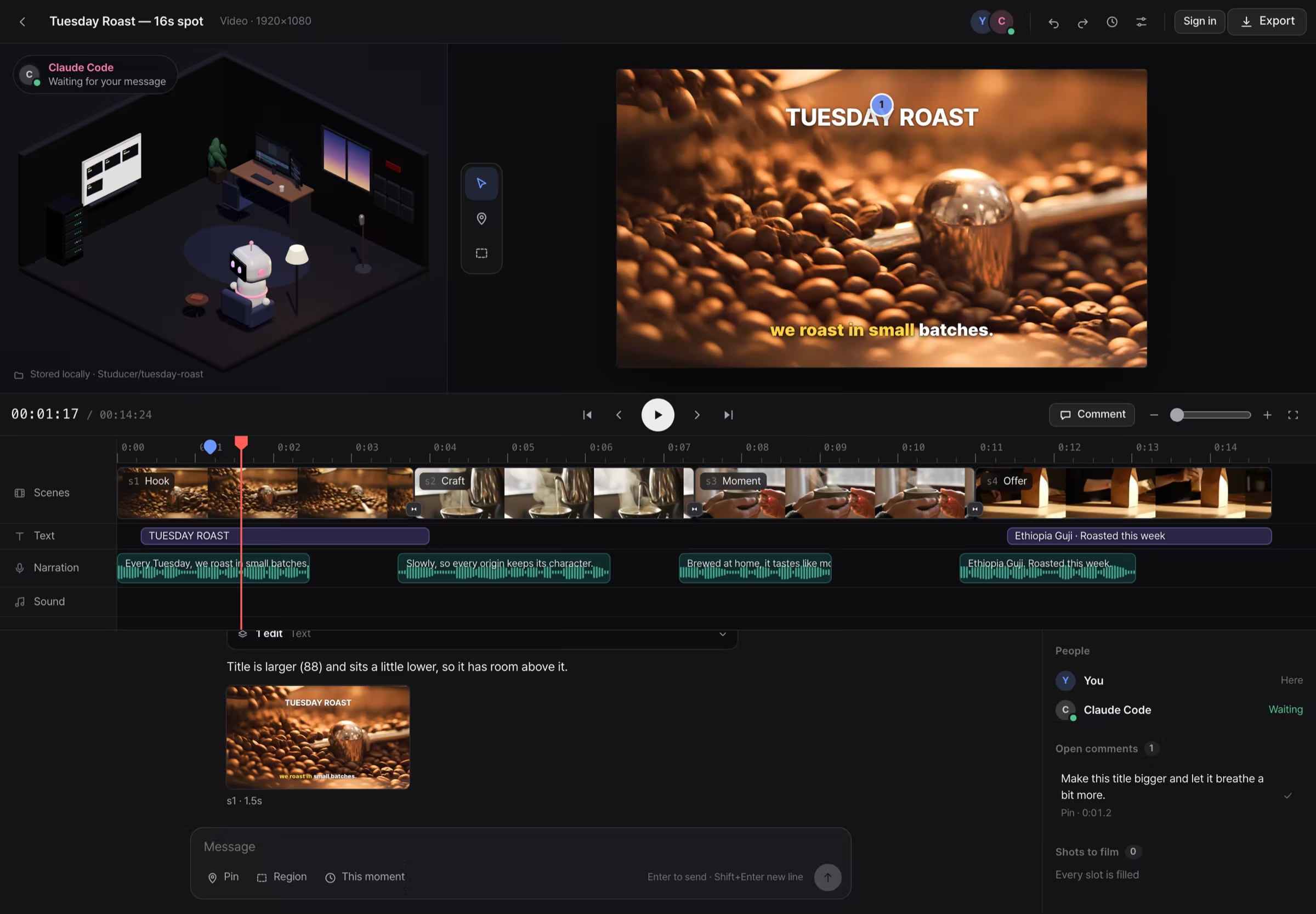
Each scene has its own line of narration. Write it yourself or ask the agent to draft it from the brief. Because narration belongs to the scene, it moves with the scene when you reorder, and scenes set to automatic length grow or shrink to fit their voiceover. Pacing follows the words.
Voices and delivery
Choose from 30 voices, each with its own character — firm, upbeat, warm, informative, gentle and more — and describe the delivery in plain words, such as “warm and calm” or “energetic, like a product launch”. You can set a voice for the whole project and override it for a single scene.
Narration runs through Studucer Cloud and costs 45 credits per second of speech, which includes caption timing. A minute of narration is 2,700 credits.
Captions timed to every word
After the voice is generated, Studucer lines up your script with the audio so each word gets its own start and end time. The captions show your exact script — the words you wrote, with your spelling and punctuation — timed to the voice.
Pick one of five caption styles: pop, karaoke, clean, box or word-by-word. Place captions at the bottom, center or top, set their size, or turn them off for a single scene.
Change one line, regenerate one line
Narration is cached by its exact text, voice and delivery. Edit one sentence and only that scene's audio is regenerated; everything else stays as it is. Undo and redo never pay twice, because the earlier audio is still on disk.
Captions for your own footage
If a clip has someone speaking, transcribe it. Studucer turns the speech into timed words, which gives you captions for that clip and lets you cut it by its words: tell the agent to use the part from “first we…” to “…that's it” and it sets the in and out points for you. Transcription costs 300 credits per minute of audio.
Draft voice without a plan
If your plan has ended, you can still edit and preview. In that case narration uses your computer's built-in draft voice so you can hear the timing. Those voices are licensed for personal use only, so Studucer marks those scenes, and a draft exported without a plan carries a watermark. When your plan is active again, the scenes are regenerated with Studucer Cloud voices, which you can use in commercial work.
Try it
Write one line of voiceover on a scene, pick a voice and a caption style, and play it back. When the line sounds right, the captions already match it.
Try it on your next project
Describe what you want to make, point at what to change, and let your agent do the editing.
Get StuducerKeep reading
Editing video with an AI agent: why a conversation beats a single prompt
A finished video is the result of dozens of small decisions. Here is why editing in an ongoing conversation with an agent that sees the whole project works better than starting over from a prompt each time.
Using Claude or ChatGPT to edit video and slides with Studucer
Connect Claude (chats or Claude Code) or ChatGPT's Codex with one click. It joins your Studucer project as a collaborator, keeps its own memory of the session, and edits video and slide decks directly — on your own plan, without Studucer credits.
Storyboard first: plan the video, then film only what's missing
Start from the structure, not the footage. Studucer's agent lays out the scenes and writes exactly what to film for each one, so you shoot a short list instead of everything you might need.